1
Who to hear next
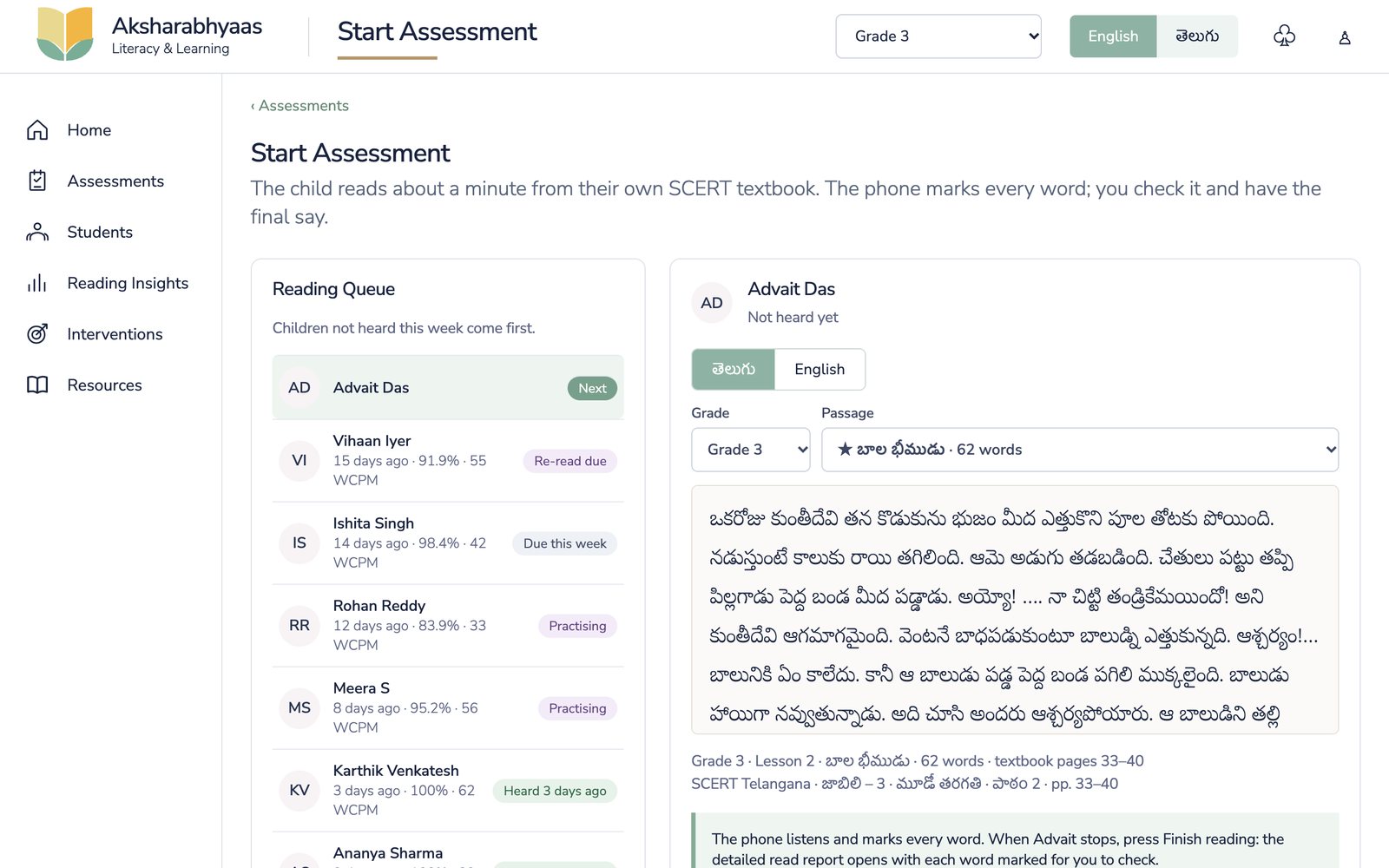
The reading queue puts children not heard this week first, and shows who is practising or due a re-read. Each passage comes from the child's own SCERT reader, with the lesson and textbook pages named.
Oral reading assessment · Telugu and English
A child reads a page of their own SCERT textbook aloud. Aksharabhyaas marks every word, names the letters that broke, and gives the teacher practice for exactly those words.
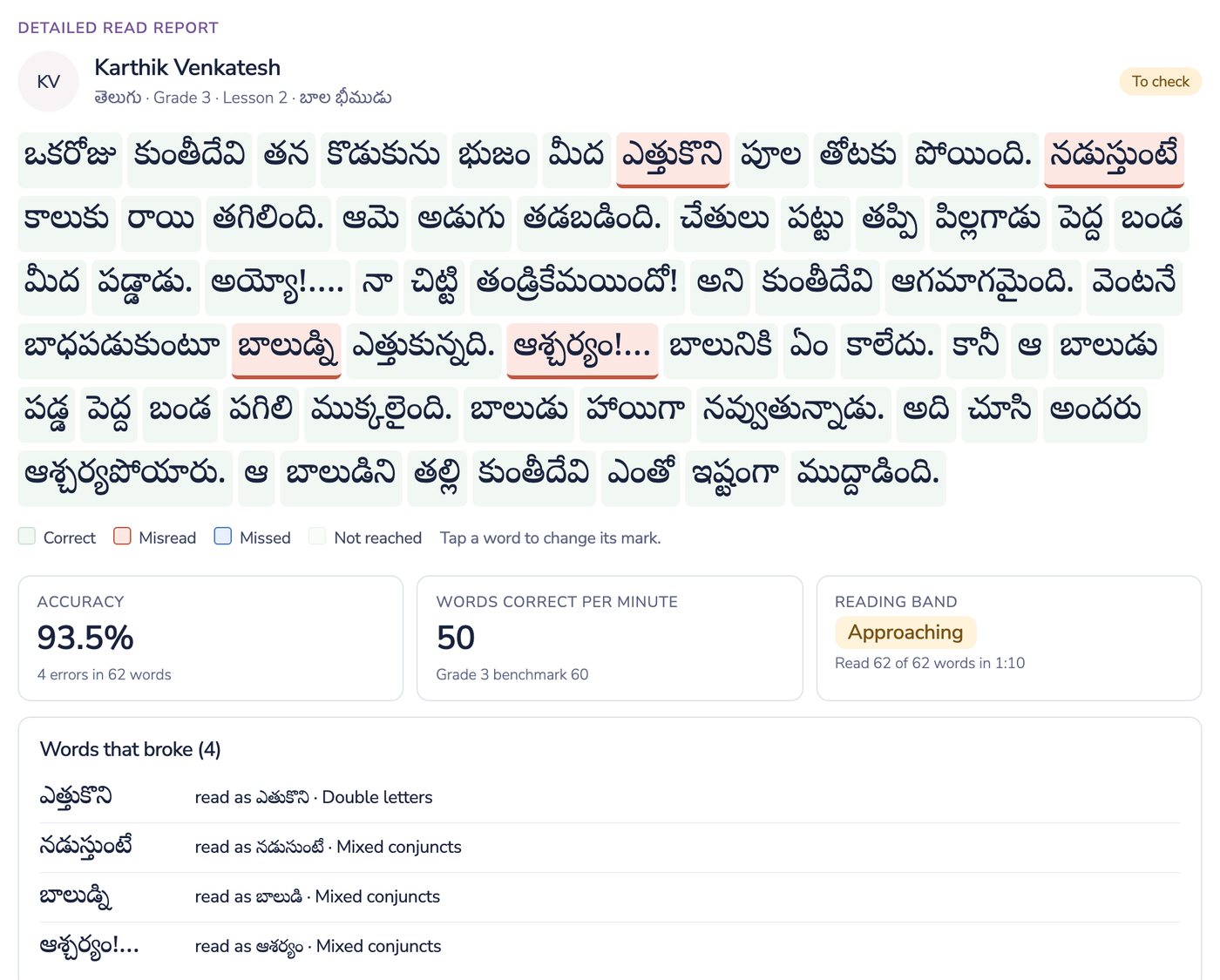
వెంటనేventanee బాధపడుకుంటూbaadhapadukuntuu read as బాలుడిబాలుడ్నిbaaludni ఎత్తుకున్నది.ettukunnadi read as ఆశర్యంఆశ్చర్యం!aashcharyam బాలునికిbaaluniki ఏంeem కాలేదు.kaaleedu
What broke: conjunct letters, in 3 of the 4 errors.
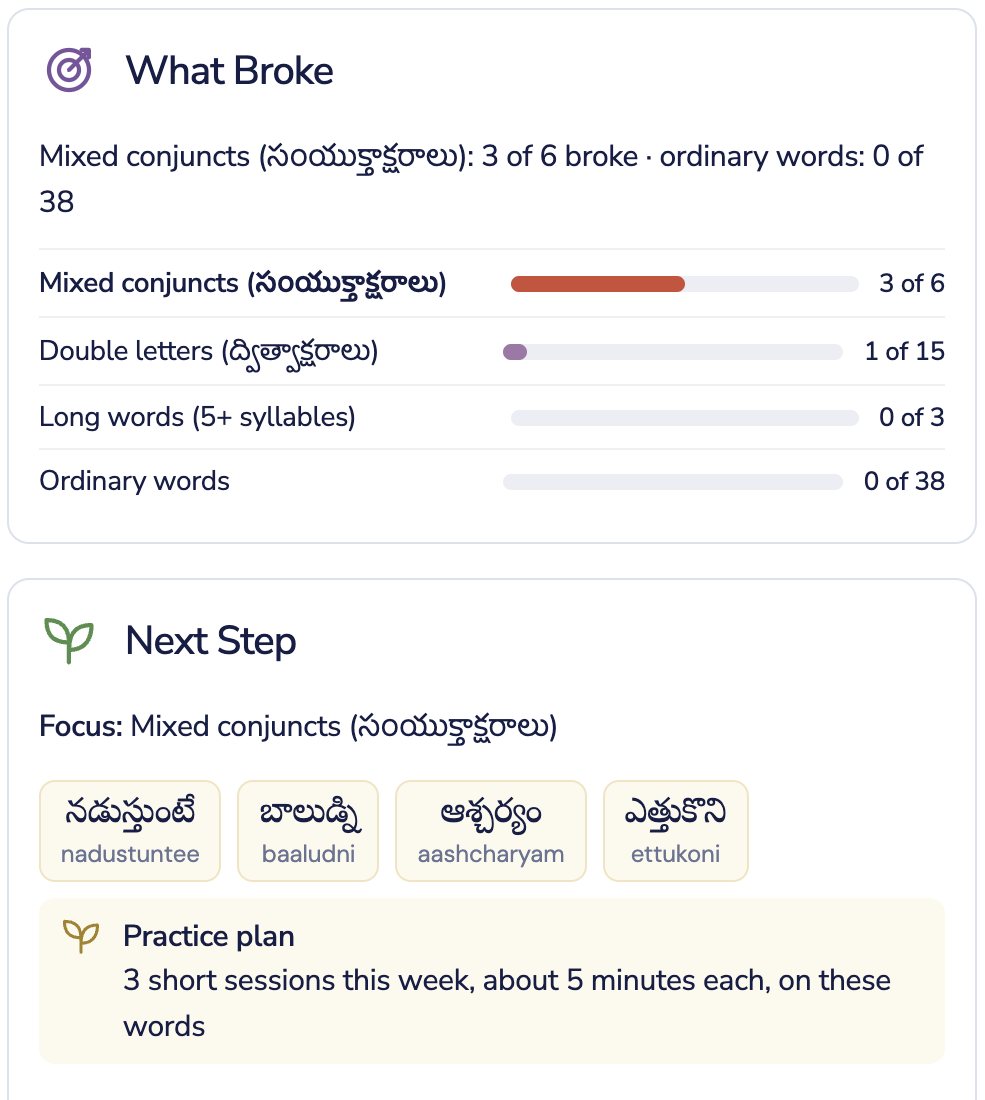
Practice next: బాలుడ్ని · ఆశ్చర్యం · నడుస్తుంటే, then a re-read.
The gap
Oral reading is checked rarely, on paper, and the results arrive after the lesson has moved on. They do not say which letters or words broke: guninthalu, ottulu, or fluency. So the child is given the whole chapter again instead of the one thing that broke.
Teachers know a child's reading the moment they hear it. What they lack is the time to hear every child often, and the quietest child is usually heard least.
What the app does
Screens from the working app, using a sample class.
The reading queue puts children not heard this week first, and shows who is practising or due a re-read. Each passage comes from the child's own SCERT reader, with the lesson and textbook pages named.
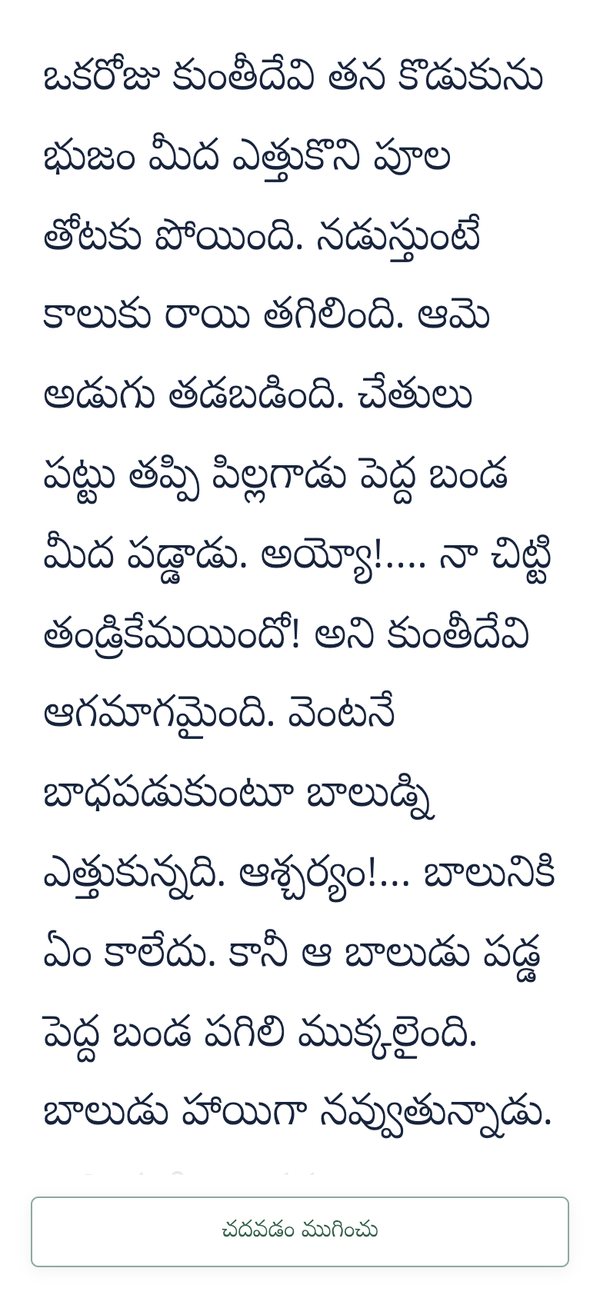
The reading opens full screen: the passage in large type and one button to finish. Nothing to tap by mistake, nothing to distract a nervous reader.
Each word is marked read, misread or missed, with what the child said for every misread word. Accuracy and words correct per minute are shown against the grade benchmark. The teacher can change any mark with a tap.
Errors are grouped by the kind of word that broke: conjunct letters, double letters, long words. The next step lists the exact words to practise, with an easy spelling under each, and a plan of short sessions for the week.
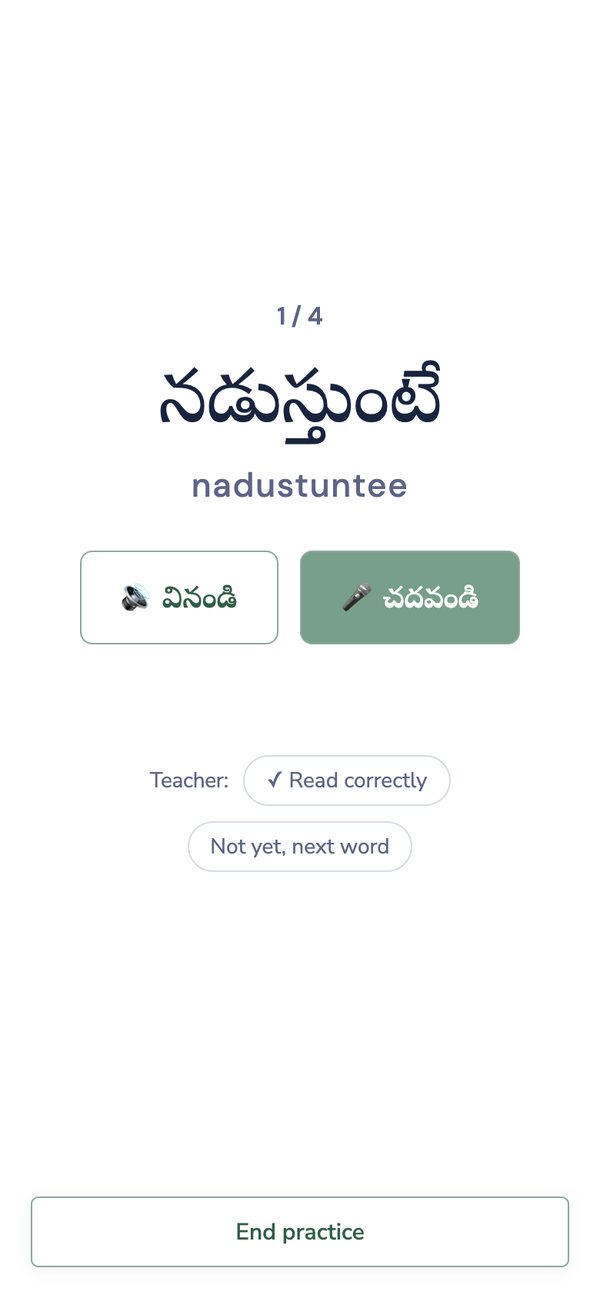
One word at a time, in large type with its easy spelling. The child can listen to the word, then read it aloud, and the teacher marks it.
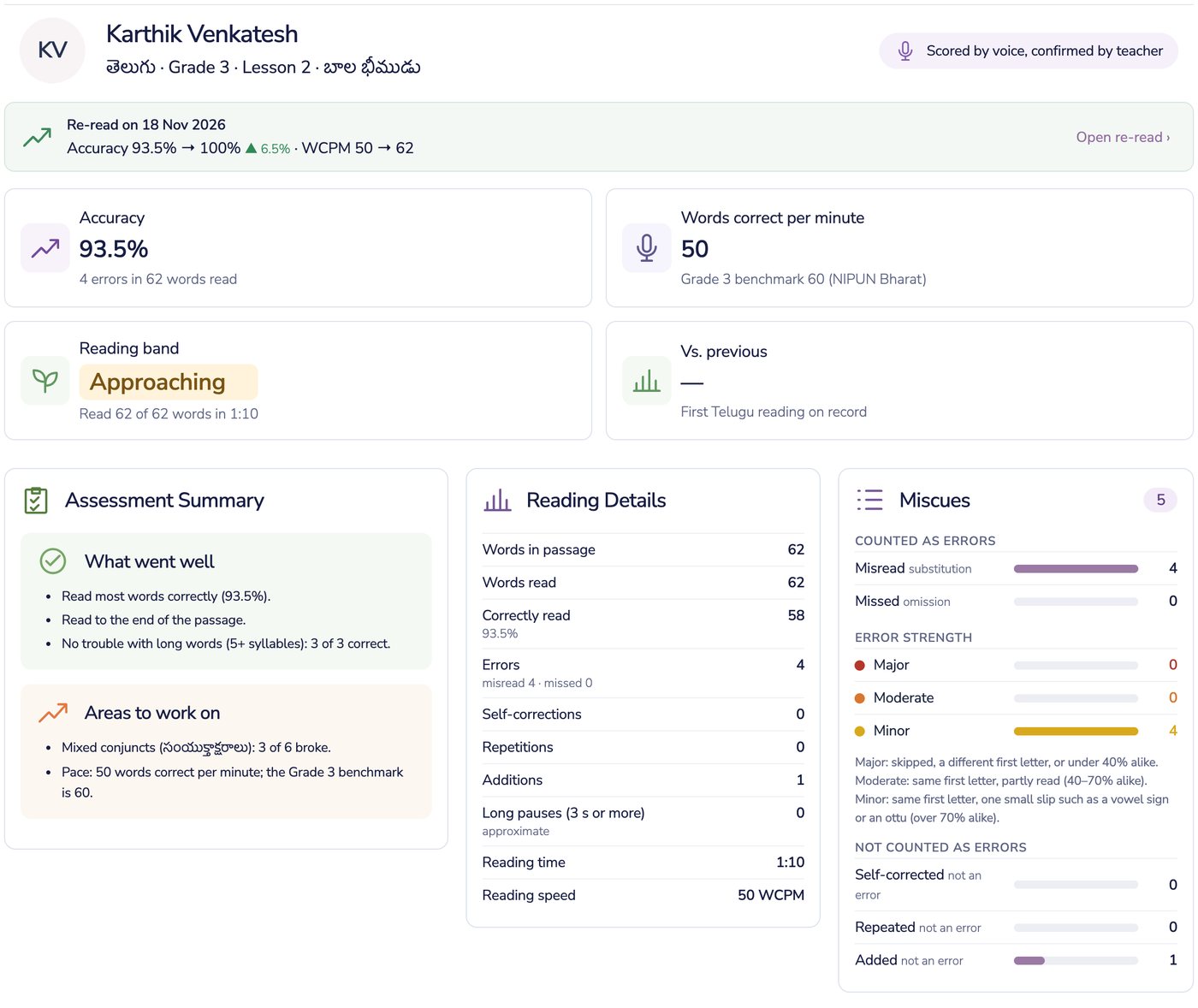
After practice the child reads the passage again and the report shows the change. In this sample, accuracy rose from 93.5% to 100% and speed from 50 to 62 words correct per minute. Miscues are sorted by how serious they are, and self-corrections are not counted as errors.
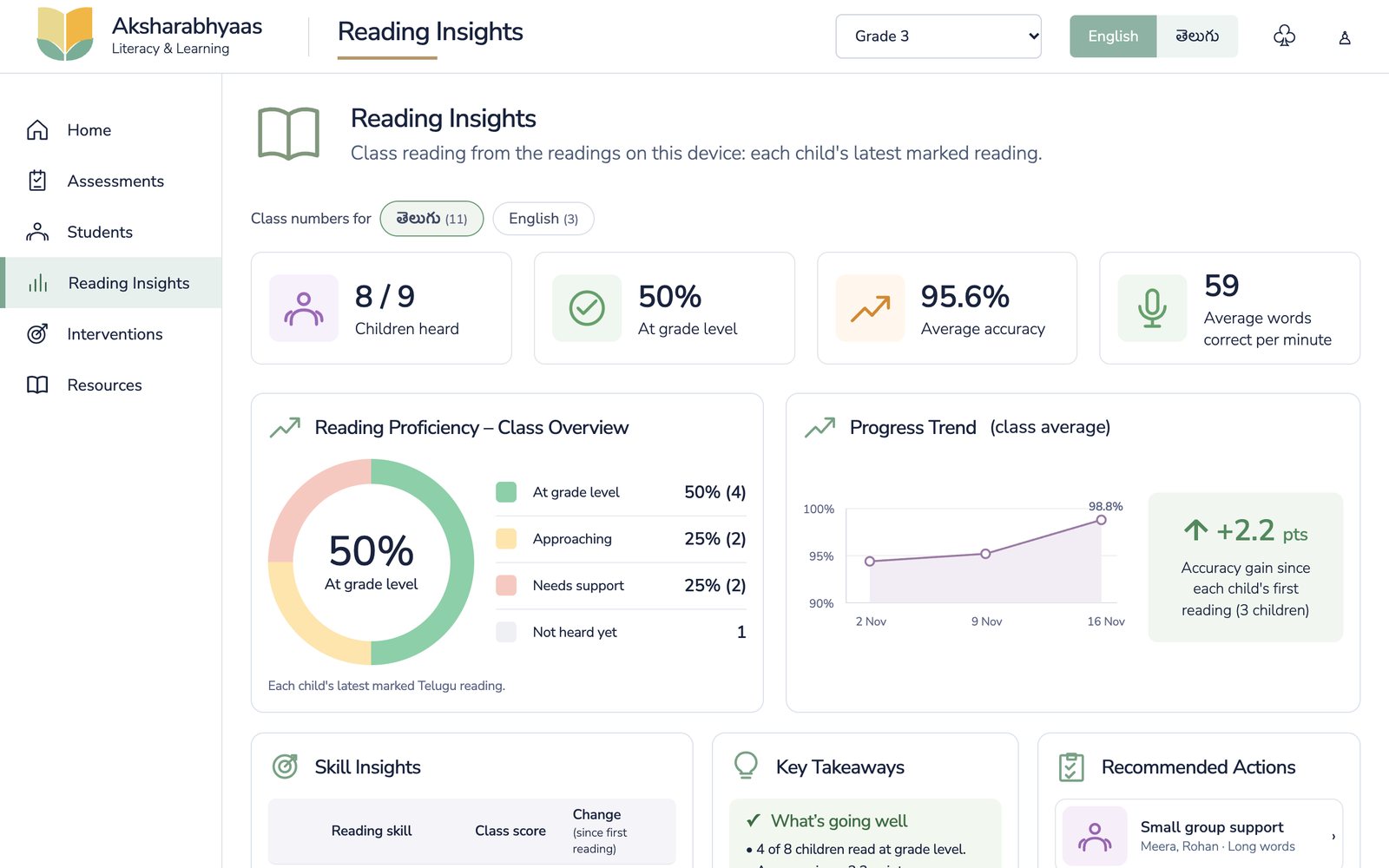
How many children read at grade level, the class trend, which skills are improving, and which children to take as a small group because they share the same trouble.
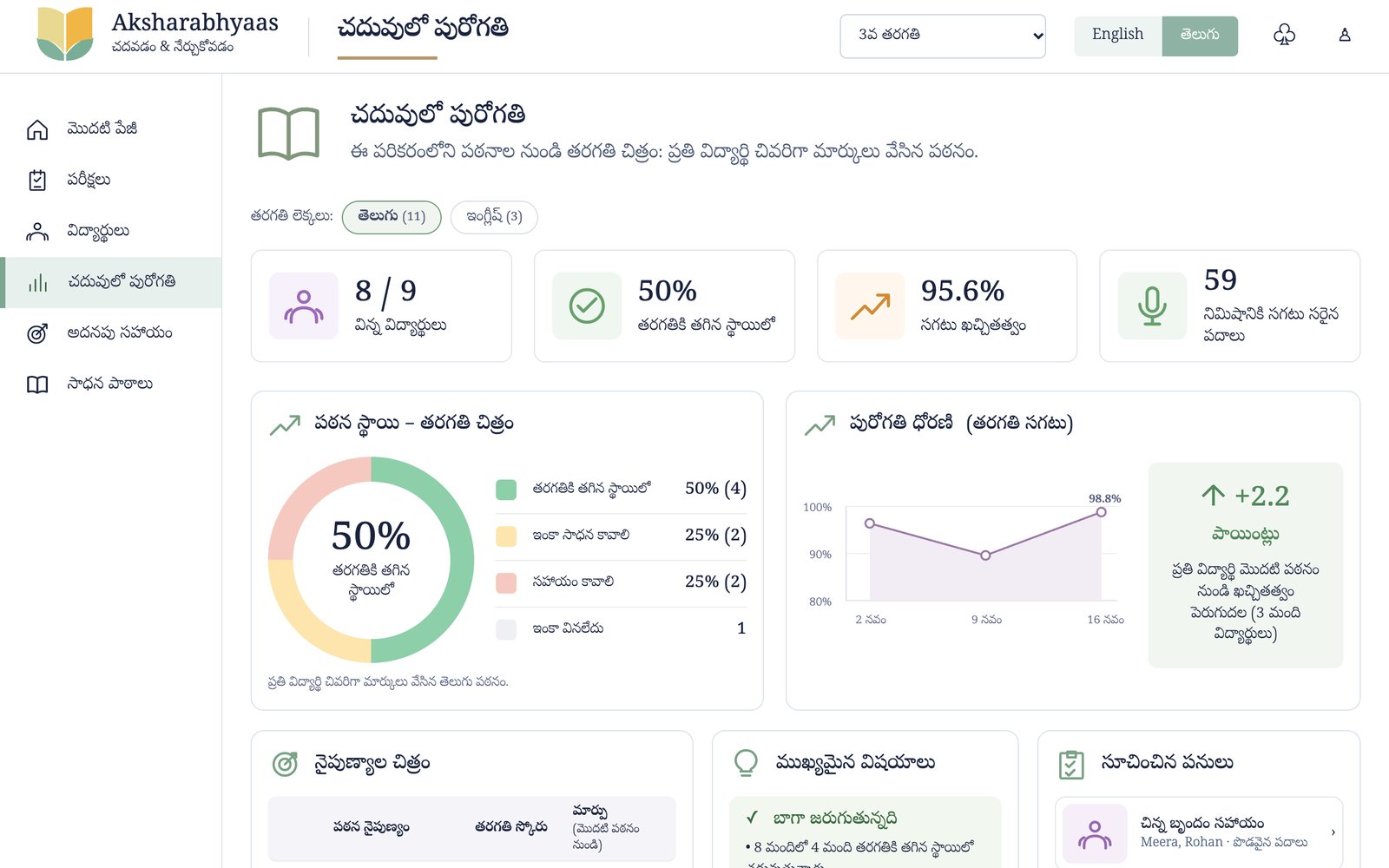
One tap switches the whole app, menus and reports included, so teachers work in the language they prefer.
Why teachers can rely on it
General speech-to-text guesses what a speaker meant and quietly fixes mistakes. Aksharabhyaas knows the passage before the child begins, matches the voice against those exact words, and keeps what it heard for each one.
Any word can be re-marked with a tap. The app does the listening and the arithmetic; the teacher decides.
Built for Telugu script, including guninthalu and ottulu, with an easy romanised spelling under each word. English runs through the same steps.
One ordinary Android phone serves a whole class. Passages come from the SCERT textbooks the state already owns, and records belong to the state, in line with the DPDP Act.
Where it stands
Government schools, two grades, one term, in Telugu and English. We report each child's reading at the start and end of term, and measure how often the app agrees with the teacher.
Team
The name comes from అక్షరాభ్యాసం, the day a child begins learning letters.
Contact
Write to us about a pilot, a demo, or working together.
hello@aksharabhyaas.com